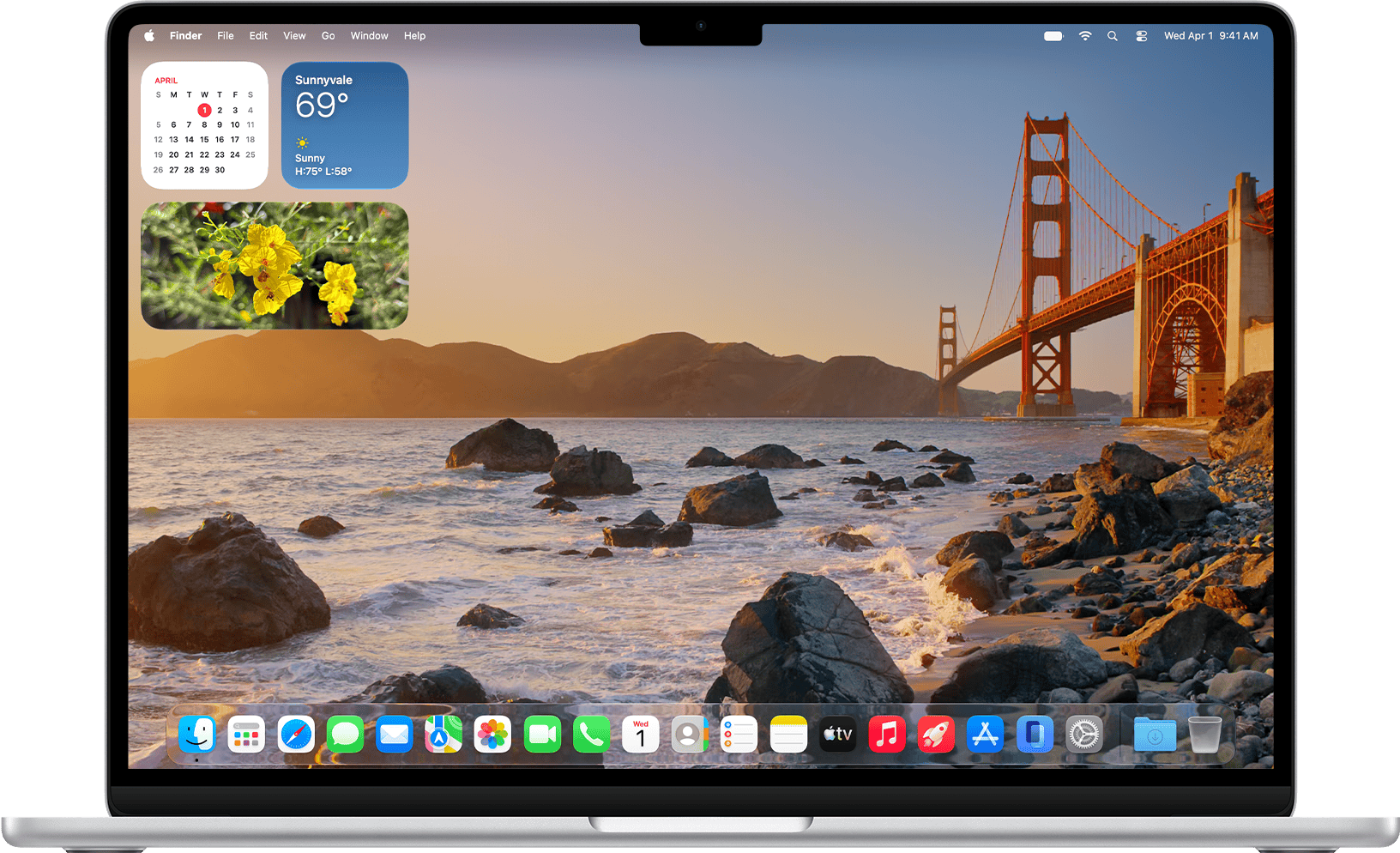
Apple's latest Mac update is here. macOS 27 Golden Gate was released on September 14, 2026, bringing a much more ambitious version of Siri, new Apple Intelligence features, improvements to Safari and Shortcuts, a refined Liquid Glass interface, and a long list of smaller changes designed to make everyday Mac use faster and easier.
Unlike an update built around one dramatic redesign, macOS 27 improves several parts of the Mac experience at once. Some changes are immediately visible, while others become useful only when you start searching, browsing, editing photos, automating tasks, or working across apps.
Here are the macOS 27 new features that matter most, what they actually do, and which Macs can use them.
macOS 27 at a Glance
| New feature | What it means for you |
|---|---|
| Siri AI | A much more conversational Siri that can understand personal context and act across apps. |
| Visual Intelligence | Ask questions about images, documents, windows, and other content visible on your screen. |
| Smarter Safari | Automatic tab grouping, webpage-change alerts, and easier creation of simple extensions. |
| Natural-language Shortcuts | Describe an automation instead of manually building every step. |
| Liquid Glass refinements | Improved readability plus more control over interface transparency. |
| Better Photos tools | More powerful reframing, expansion, and object-removal features. |
| New parental controls | More detailed control over websites, apps, communication, and screen time. |
| Performance improvements | Faster AirDrop, network browsing, search, and Safari loading in several areas. |
1. Siri AI Is the Biggest Change in macOS 27
The headline feature of macOS 27 is Apple's new Siri AI. This is much more than the familiar voice assistant with a new interface.
Siri can now handle more natural back-and-forth conversations, answer broader questions, understand information connected to your personal context, and perform actions across supported apps.
For example, instead of remembering the exact name of a document or email, you may be able to ask Siri to find information based on what you remember about it. Apple says Siri can use context from areas such as Mail, Messages, Photos, and Notes to help find relevant information.
Siri can also perform actions in apps including Messages, Music, Reminders, and others. That moves it closer to being an assistant that can actually do things rather than simply give answers.
The most interesting part of Siri AI is not its ability to answer general questions. It is the combination of search, personal context, and actions across your Mac.

A dedicated Siri app
macOS 27 also introduces a dedicated Siri app. Instead of every Siri interaction disappearing after you finish it, conversations can be revisited later.
Apple says Siri conversations can sync through iCloud across compatible Apple devices, allowing you to begin a conversation on one device and continue it on another.
You can also pin useful conversations, making Siri feel closer to a persistent AI workspace than the temporary assistant Mac users are accustomed to.
Important: Siri AI availability depends on language and region, and Apple is initially rolling it out as a beta. Some Apple Intelligence features may also have usage limits.
2. Visual Intelligence Comes to the Mac
One of the more practical additions in macOS 27 is Visual Intelligence.
Instead of describing what is on your screen to an AI assistant, you can select visual content and ask Siri about it directly.
Apple says the feature can work with items such as images, PDFs, and other onscreen content. You could, for example, select part of a document and ask for more information, identify something in an image, or potentially turn visible information into an action.
Apple provides a dedicated shortcut — Shift + Command + Space — for accessing Visual Intelligence.

If an email contains information about an event, product, image, or document, Visual Intelligence can reduce the need to copy the information into another app before asking questions about it.
3. Safari Can Now Organize and Monitor the Web for You
Safari receives several useful upgrades in macOS 27.
Automatic tab groups
Safari can automatically organize related tabs into topics. If you regularly end up with dozens of open tabs while researching a trip, comparing products, or working on a project, this could make large browsing sessions easier to manage.
Notify Me
A more interesting feature is Notify Me. Safari can monitor supported webpages for changes and alert you when something important changes.
Apple gives examples such as:
- price drops
- products coming back into stock
- other updates to a monitored webpage
For shoppers, this potentially reduces the need to repeatedly revisit a product page just to check whether its price or availability has changed.
Create extensions by describing them
Apple is also introducing Describe an Extension, which can create simple Safari extensions using natural-language instructions.
That means some small personal browser tools may no longer require traditional extension development.

4. Shortcuts Becomes Much Easier to Automate
Apple's Shortcuts app has always been powerful, but building a sophisticated shortcut can require understanding how individual actions connect together.
macOS 27 introduces Describe a Shortcut.
You describe what you want to happen in ordinary language, and the system can assemble the required actions for you.
Apple gives the example of creating an automation that messages someone when you leave work and includes an estimated arrival time based on traffic.
Shortcuts has long been capable of advanced automation. Natural-language creation could make that capability accessible to people who never previously bothered learning how the Shortcuts editor works.
5. Photos Gets More Powerful AI Editing
Apple Intelligence is expanding deeper into Photos with several image-editing features.
The main additions include:
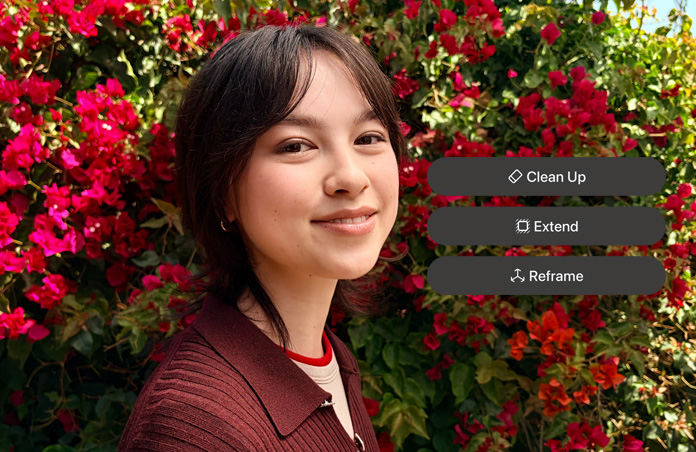
- Spatial Reframing — change how an image is framed after it was taken.
- Extend — intelligently expand the area beyond the original photo.
- Enhanced Clean Up — remove larger unwanted objects with improved reconstruction of the missing area.
Apple also says Image Playground can produce images in a wider range of styles, including photorealistic output, and lets you modify existing creations using natural-language descriptions.
Some intelligent photo-editing features may have usage limits, and Apple notes that certain capabilities may arrive in later macOS 27 software updates rather than the initial release.
6. Liquid Glass Gets a More Readable Makeover
Apple is keeping its Liquid Glass design language in macOS 27, but refining some of the areas that could make transparent interfaces harder to read.
The updated design includes:
- better contrast
- more consistent refraction effects
- uniform toolbars
- edge-to-edge sidebars
- updated app and menu bar icons
- revised window shapes
More importantly, Apple now provides a slider that lets you adjust how Liquid Glass appears, ranging from a clearer look to a more heavily tinted interface.
That is a small feature, but it gives users more control over the balance between appearance and readability.
7. macOS 27 Should Feel Faster in Everyday Tasks
Not every macOS improvement needs a new button or menu.
Apple says macOS 27 improves performance in several everyday areas, including:
- faster AirDrop transfers
- faster network file browsing
- faster Safari start-page content loading
- better Spotlight search suggestions
- more relevant Mail search results
The Mail change is particularly useful for people with large inboxes. A new ranking system is designed to place the most relevant search results higher rather than treating every textual match equally.
These are the kinds of changes that may not look impressive in a feature list but can have a larger effect on everyday Mac use than a new visual animation.
8. Parental Controls Get a Major Upgrade
macOS 27 also expands Apple's child-safety and parental-control tools.
Ask to Browse
Children can be required to request permission before visiting a new website. A parent can review and approve the request rather than simply giving unrestricted browser access.
Communication Safety expands
Apple's Communication Safety system already helps protect children from inappropriate imagery. In macOS 27, its protections expand further to additional types of sensitive content.
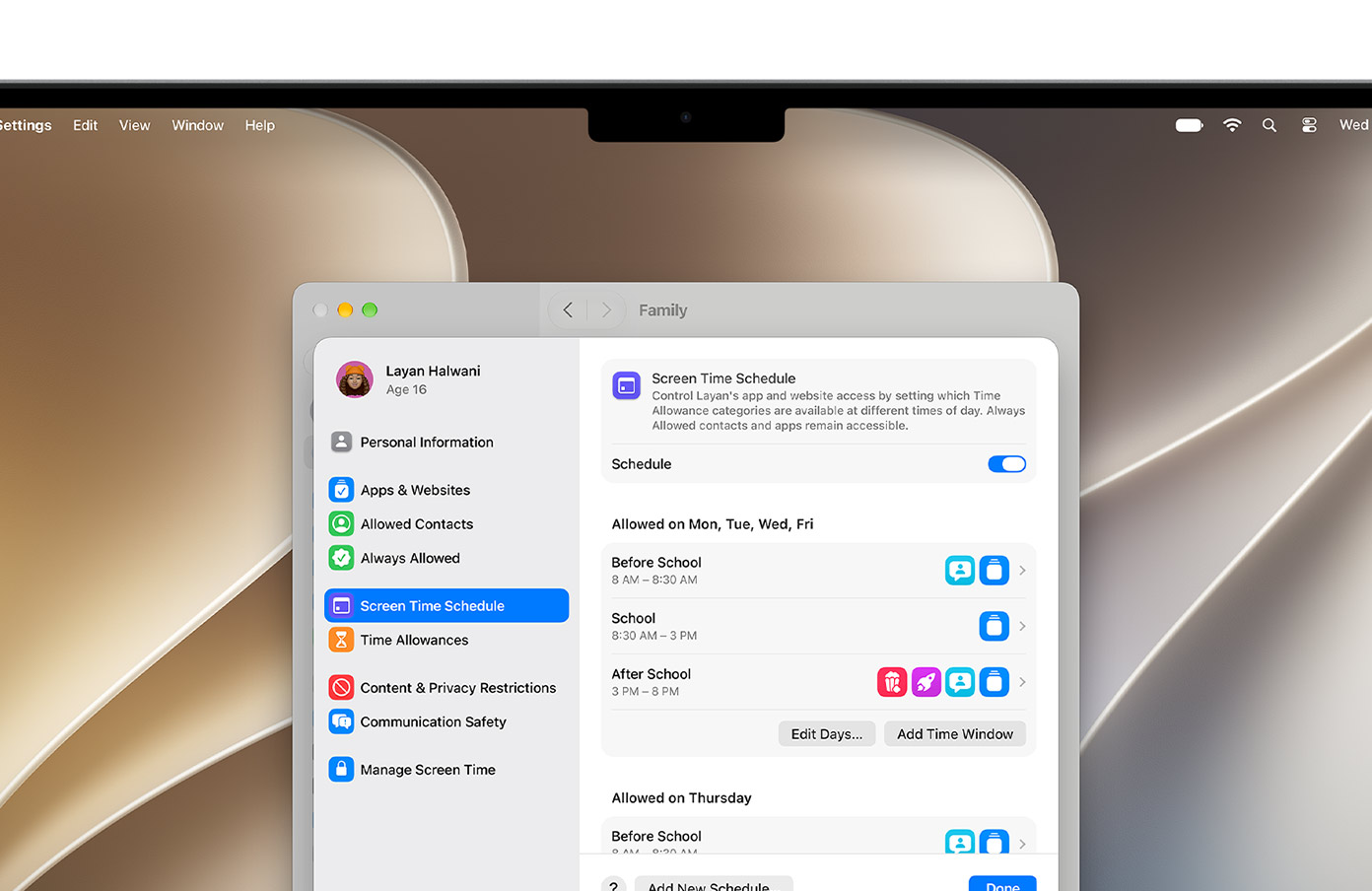
Time Allowances and Schedules
Parents can assign time allowances to categories such as games, entertainment, or social apps, while schedules control which apps are available at different times of day or on different days.
9. Smaller macOS 27 Features Worth Knowing About
Golden Gate contains plenty of smaller upgrades that could still matter depending on how you use your Mac.
| Feature | What's new |
|---|---|
| Ultrawide displays | Support for higher resolutions such as 5K at 120Hz, plus more reliable saved display arrangements. |
| Calendar | Create or modify events by describing them in natural language. |
| iCloud Shared Albums | Easier participation for Android and Windows users, full-resolution sharing, reactions, filters, and improved invitations. |
| Messages and Mail | Contextual suggestions can surface actions such as adding an event or searching for a photo. |
| Call Context | Can surface relevant information from your apps while you're on a call, such as a confirmation code from an email. |
| Accessibility | Improved VoiceOver descriptions plus automatic video captions and translation of existing captions. |
| Maps | Enhanced Flyover uses aerial imagery and Visual Intelligence for more detailed rendering. |
| Podcasts | An improved experience for switching between watching and listening to video podcasts. |
Which Macs Support macOS 27?
macOS 27 marks an important compatibility change: Apple's supported list is now entirely based on Apple silicon Macs.
| Mac | Supported models |
|---|---|
| MacBook Neo | 2026 |
| MacBook Air | Apple silicon models from 2020 and later |
| MacBook Pro | Apple silicon models from 2020 and later |
| iMac | Apple silicon models from 2021 and later |
| Mac mini | Apple silicon models from 2020 and later |
| Mac Studio | 2022 and later |
| Mac Pro | Apple silicon model from 2023 |
Check that the software, plugins, drivers, VPN clients, and specialist hardware you depend on are compatible with macOS 27. A supported Mac does not automatically guarantee that every third-party application is ready for the new operating system.
Which macOS 27 Features Require Apple Intelligence?
This distinction is important.
Some macOS 27 improvements — including interface refinements, performance changes, display improvements, and various app updates — are part of the operating system itself.
Features such as Siri AI, Visual Intelligence, advanced image generation, and several intelligent app capabilities depend on Apple Intelligence.
Apple says Apple Intelligence on Mac requires an M1 or later Mac, with feature availability also depending on language and region.
That means two people running macOS 27 can have slightly different experiences depending on their Mac model, selected language, location, and whether a particular feature has completed its rollout.
Should You Upgrade to macOS 27 Now?
For most users with a compatible Apple silicon Mac, macOS 27 is a substantial update rather than a cosmetic one.
The strongest reasons to upgrade are:
- you want the new Siri AI capabilities
- you regularly use Safari and Shortcuts
- you use your Mac as part of a wider Apple ecosystem
- you want the latest security and compatibility updates
- the improved parental controls are useful to your family
However, people who depend on specialist professional software should check compatibility first. It is also reasonable to wait for an early macOS 27 point release if maximum stability is more important to you than getting the newest features immediately.
Our Take
macOS 27 Golden Gate is most interesting because Apple is trying to make intelligence part of the normal Mac workflow rather than a separate feature you open occasionally.
Siri AI, Visual Intelligence, natural-language Shortcuts, smarter Safari tools, and contextual actions all move in the same direction: reducing the number of manual steps needed to find information or complete small tasks.
At the same time, Apple has not ignored the basics. Improvements to Liquid Glass readability, Mail search, AirDrop, networking, displays, parental controls, and accessibility may end up being just as valuable for many users.
The result is an update where the biggest headline is AI, but some of the most useful improvements may be the smaller changes you encounter every day.
Frequently Asked Questions
What is macOS 27 called?
Apple calls macOS 27 macOS 27 Golden Gate.
When was macOS 27 released?
Apple released macOS 27 Golden Gate on September 14, 2026.
Is macOS 27 a free update?
Yes. macOS 27 is available as a free software update for compatible Macs.
Does macOS 27 support Intel Macs?
Apple's macOS 27 compatibility list contains Apple silicon Macs. Supported MacBook Air and MacBook Pro models begin with Apple silicon models introduced in 2020.
Does every macOS 27 Mac get Siri AI?
No. Siri AI and other Apple Intelligence features have separate hardware, language, and regional requirements. Availability is also being rolled out progressively.
What is the most important new macOS 27 feature?
Siri AI is the headline addition, but Visual Intelligence, smarter Safari tools, natural-language Shortcuts, Photos editing, and everyday performance improvements may be equally useful depending on how you use your Mac.